Archive article from 2019. Product versions and steps may have changed since — check current vendor documentation before applying.

Security Group
First we need to create security groups for virtual machines, use of security groups with dynamic membership can help us ensure that containers have the right level of security policies applied to them.
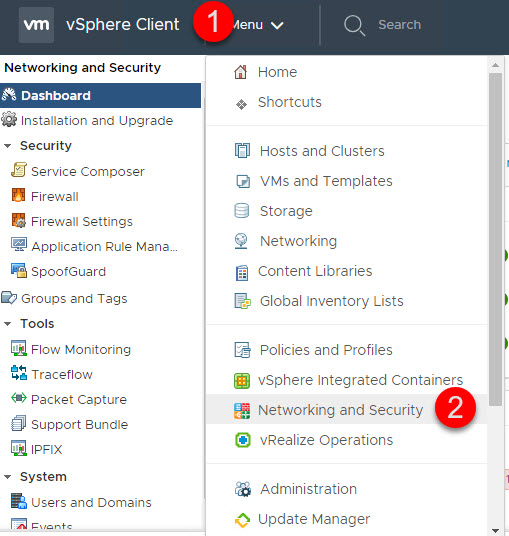
Select Service Composer –> Security groups –> Add
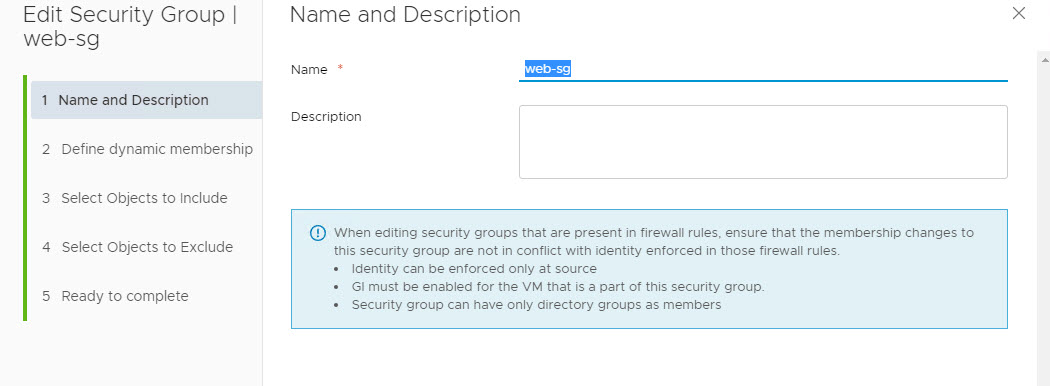
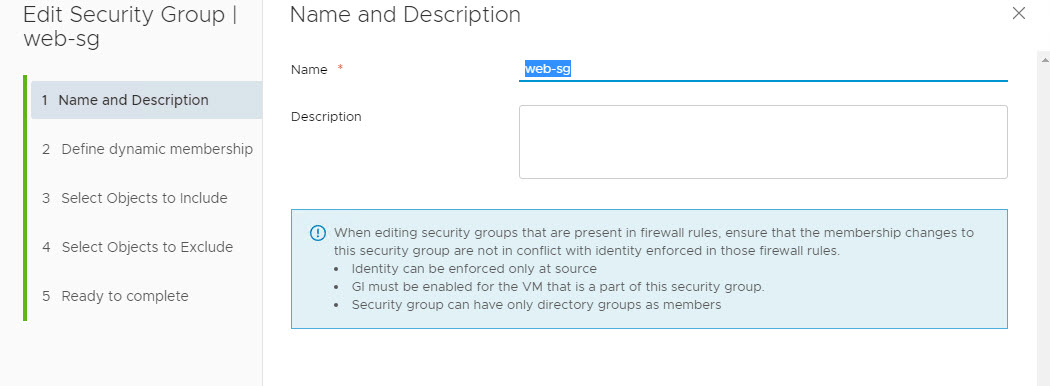
Input the Name (web-sg)
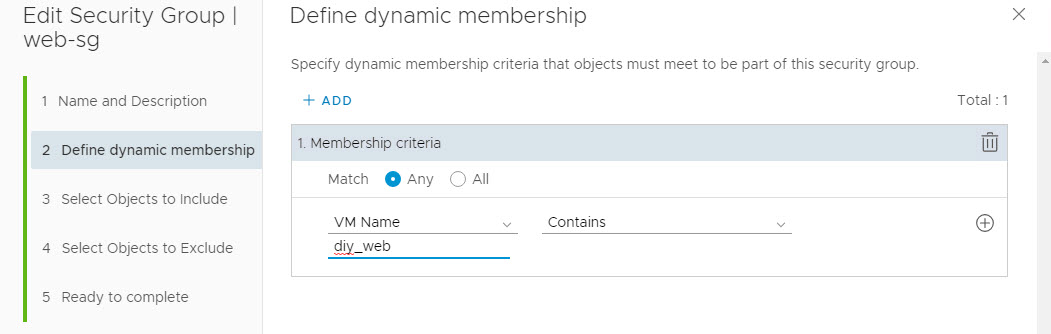
Next step: Name contains = diy_web
Define dynamic membership click in Next
Select Objects to Exclude click in Next
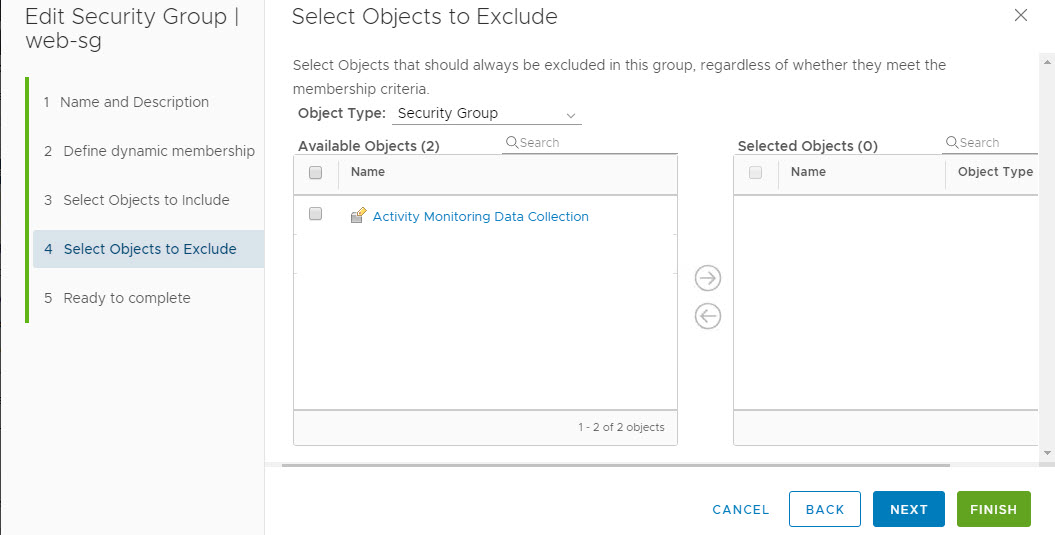
Click in Finish
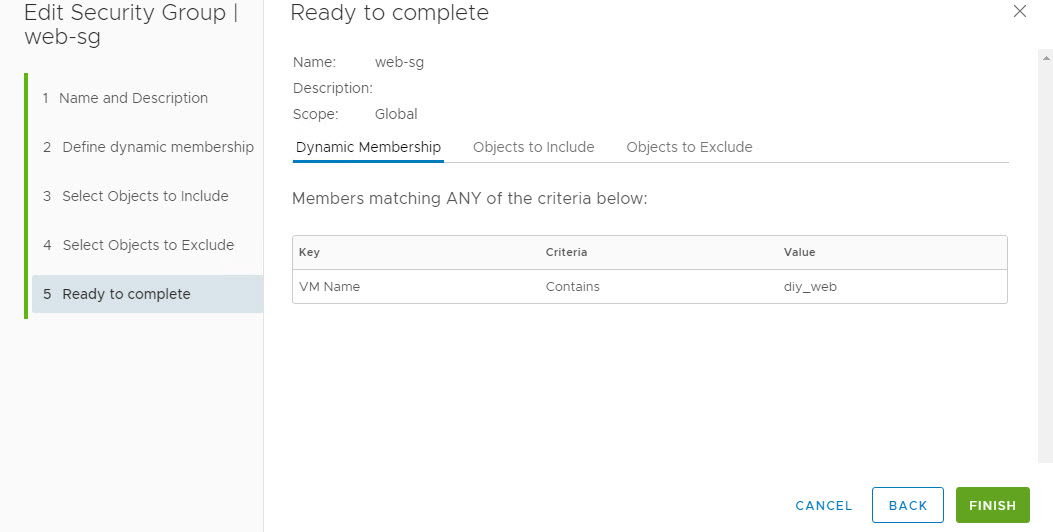
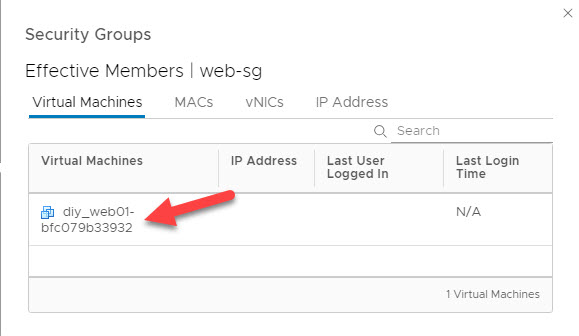
For the time being, i have only a container created.
Distributed Firewall Configuration
Now, we”ll create some rules and allow only required traffic:
- We will allow only the protocol HTTP
Click on Firewall and ADD Rule and input Name rule.
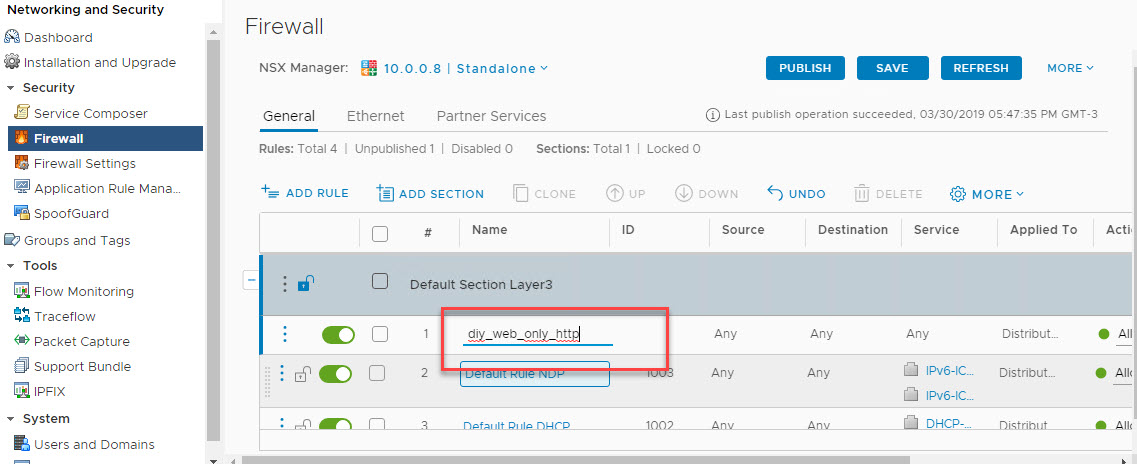
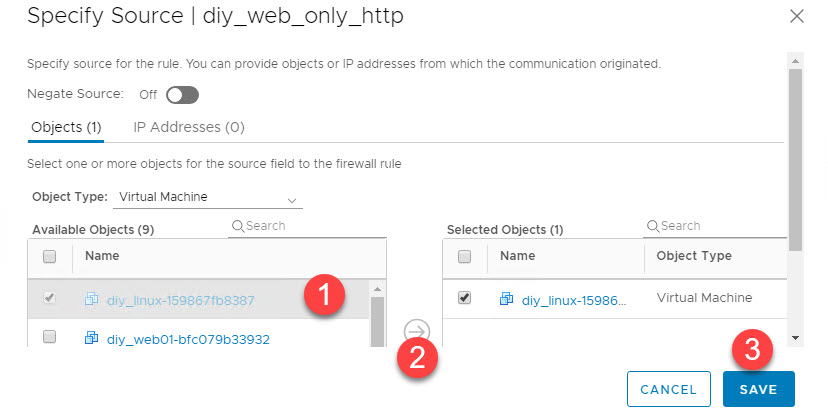
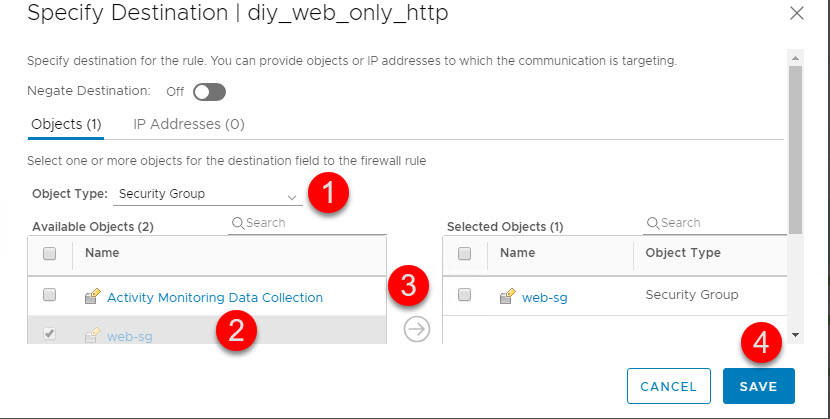
Now we’ll configure Source and Destination:
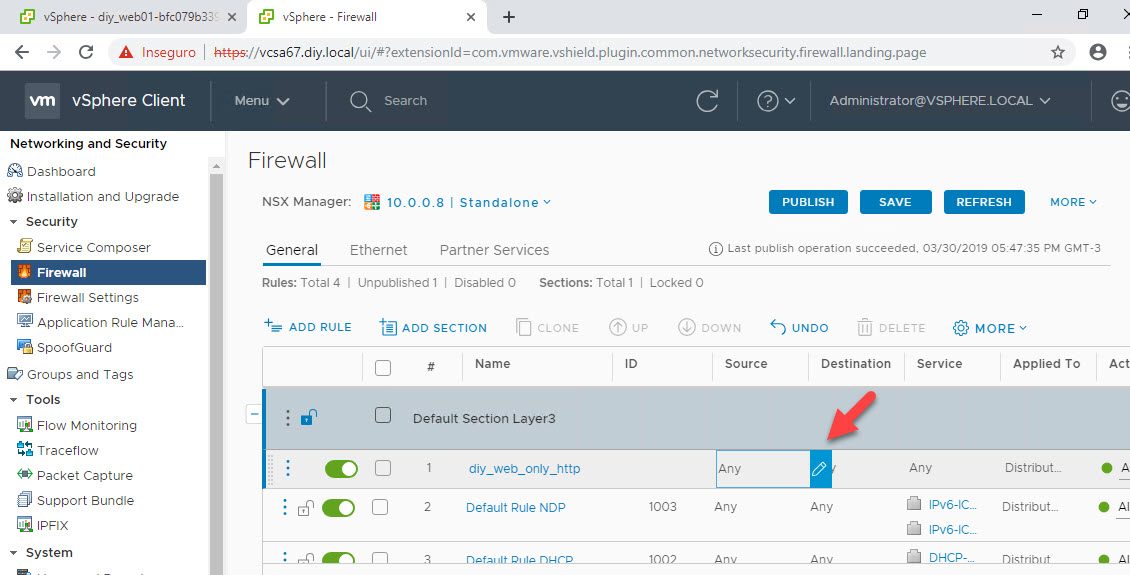
Source:
Destination:
Service:
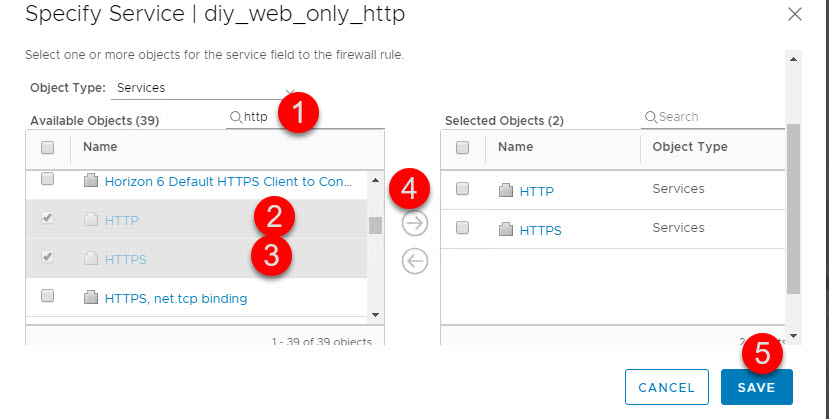
In web traffic: Allow and click Publish.
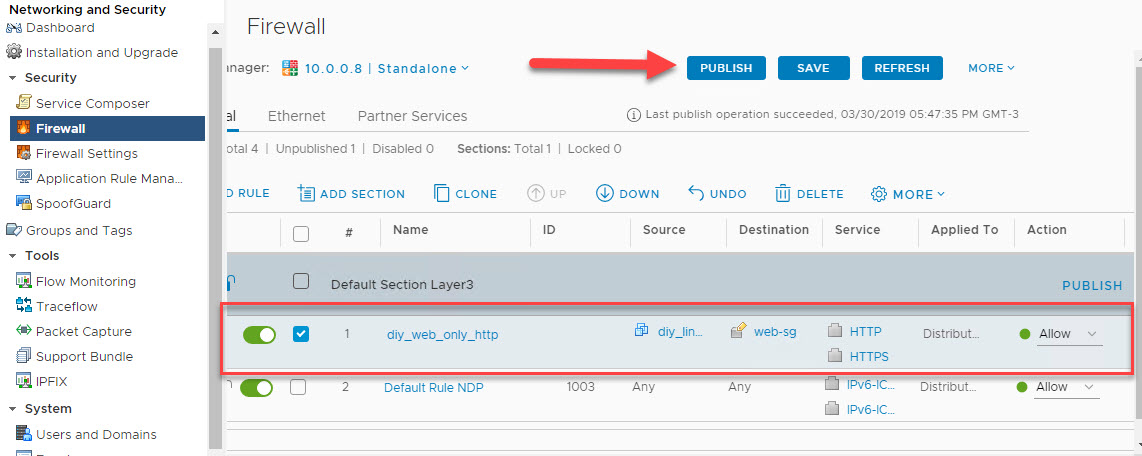
With this, only o container diy_linux will be able to communicate with the web server (diy_linux…) only allow traffic on a specific port (http/https).
That’s all for now!
Working on VMware right now? Our engineers can help.
Talk to an engineer