Part 3 – Backup Job: Veeam vSphere + Hpe Simplivity
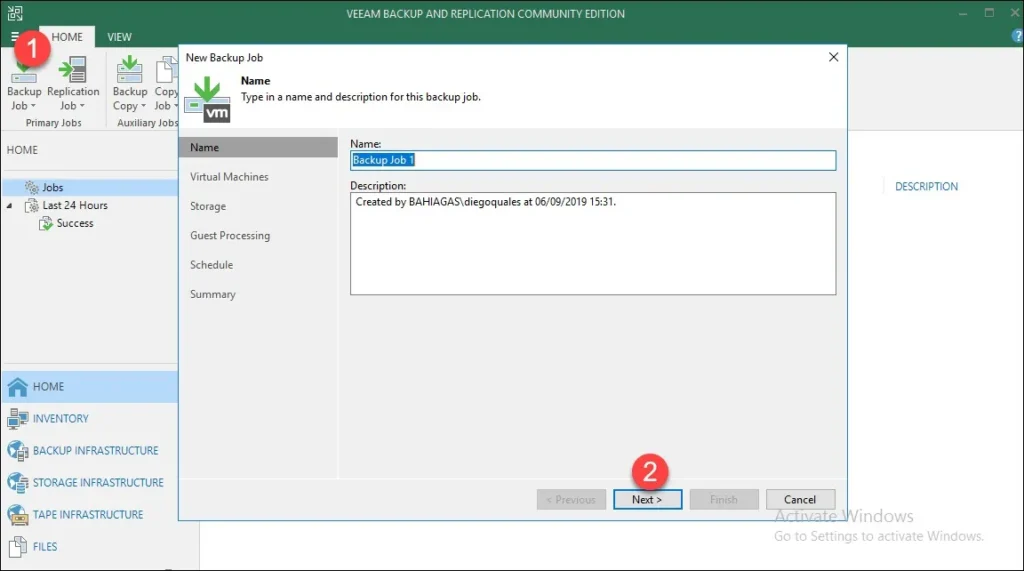
To create a new backup job, follow the instructions listed below: Step 1: On the Home tab, click Backup Job > Virtual machine. Step 2: Fill in a name and description, and click Next: Step 3: Click Add. Step 4: Select the VM or VM container in the list and click Add and click Next Step 5: Choose the backup repository where to store the backups and the […]
Part 2 – Adding VMware vSphere Servers
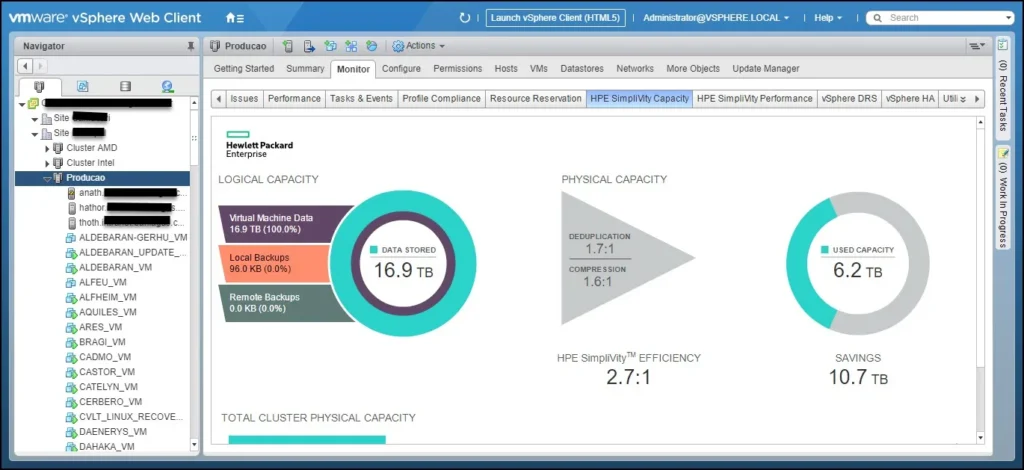
Now we’ll add vCenter Server that manages the HPe Simplivity Cluster. Step 1: Open to Backup Infrastructure on the bottom left pane, select the Managed Servers node and click Add Server. Step 2: Select VMware vSphere Step 3: Select vSphere. Step 4: Enter a full DNS name or IP address of the vCenter Server. Click Next. Step 5: At the Credentials step of the wizard, specify credentials and port settings […]
Part 1 – Install Veeam on HPe Simplivity

In this post, I’m going to demonstrate how to install the Veeam in the environment vSphere 6.7+HPe Simplivity. Step 1: Download the latest version of the Veeam Backup & Replication installation image from the Download Veeam products page. Step 2: Mount iso: Step 3: Run the Setup.exe file from the image. Step 4: In the Veeam Backup & Replication section of the splash screen, click Install. Step 5: Select two agreements check box. Step 6: Click Next, in this case, […]
Creating a backup job: Nutanix AHV With Veeam

Now that we have our Veeam Proxy Appliance deployed, installed and configured, the next step is to start protecting some of the workloads we have sitting in our Nutanix AHV Cluster. Step 1: Click Backup jobs. Step 2: Click Add at the toolbar. Step 3: Give the backup job a name. Step 4: We need to add in our virtual […]
Configuring Veeam Availability for Nutanix AHV

Step 1: Log in to the proxy appliance web. The first message you will receive is regarding licensing. Click Ok. Step 2: Click the gear icon and select Manage Nutanix Clusters. Step 3: Click the Add. Step 4: Add the Nutanix cluster details. Click Add. Step 5: Now let’s go add Veeam backup server to the proxy appliance infrastructure. Click the gear […]
Install Veeam Availability for Nutanix AHV

In the previous post of Deployment, this post will touch on the installation and setup of the Nutanix AHV Proxy Appliance. Step 1: Click Launch Console. On the VM console, you will see the URL address. To log in to the appliance web UI, open https://<static_IP_address>:8100 in a web browser. Step 2: Enter default credentials (login: admin; password: admin) to log in […]
Deploy Veeam Availability for Nutanix AHV

This series is to the steps to deploy, install, configuration and then how to start protecting workloads that we have within Veeam Availability for Nutanix AHV. Step 1: Download the Veeam Availability for Nutanix AHV virtual disk image. Step 2: Log in to the Nutanix Prism web console. Step 3: Click the gear icon. Select Image Configuration and click Upload Image. Step […]