
About
DIY Virtualization Blog was created with the intention of publishing knowledge about everything that is new in the IT world. We will focus on the most accepted technologies in the market, such as VMWARE, CISCO, Hyper-converged infrastructure and other products that integrate with these technologies. Always using vendor best practices and project experiences. So enjoy the […]
Preparing Cluster and Hosts – Part 3
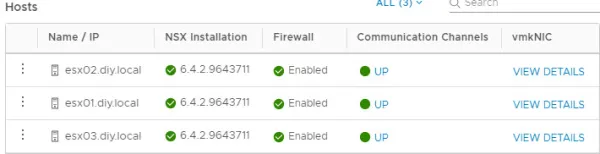
After the deployment of the NSX appliance we will prepare the esxi hosts for the NSX. This step will install the variety of VIBS – VXLAN, distributed Firewall, Distributed Routing and user world agent into every ESXi host. Login to vCenter Server using vSphere Web Client and Navigate to Networking & Security > Installation > Host […]
Install and configure Server VDI
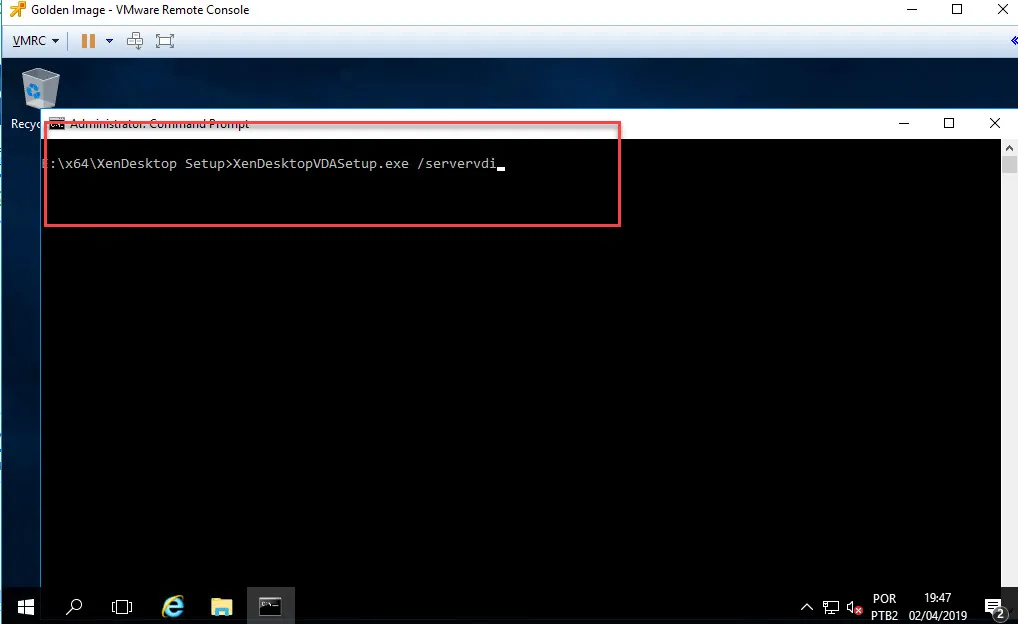
Prepare the Windows Server 2016 for the installation VDA. Create a VM and install Windows Server 2016, install vmware tools, windows patches and applications. Use the Citrix Virtual Apps and Desktops installer’s command line interface to install a VDA . Step 1: Open CMD and execute: xendesktopvdasetup.exe /servervdi Step 2: Select Create a master image. For more details. […]
Installation and Configuration of Citrix Virtual Apps e Desktops 1903 on vSphere 6.7
Citrix Virtual Apps and Desktops 7 1903 is the latest Current Release version of Citrix Virtual Apps and Desktops. This is a post series, for installing and configuring Citrix Virtual Apps And Desktop on vCenter Server 6.7. In this first stage, I’ll build a home lab without High Availability in order to only test the new features […]
Installing Nutanix AHV Plugin on XenDesktop Controllers 1903
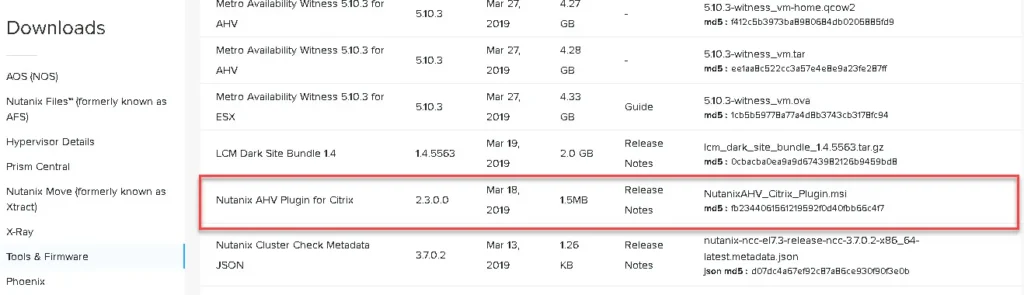
Install and register the Nutanix plugin in your XenDesktop Controllers environment. Obtain the Nutanix plugin from Nutanix Support Portal:Lorem ipsum dolor sit amet, consectetur adipiscing elit. Ut elit tellus, luctus nec ullamcorper mattis, pulvinar dapibus leo. Install Nutanix plugin on the Delivery Controllers follows these steps: Step 1 – Start the MCS plugin for XenDesktop: Step 2 – Accept […]
Configure VMware vCenter Integration
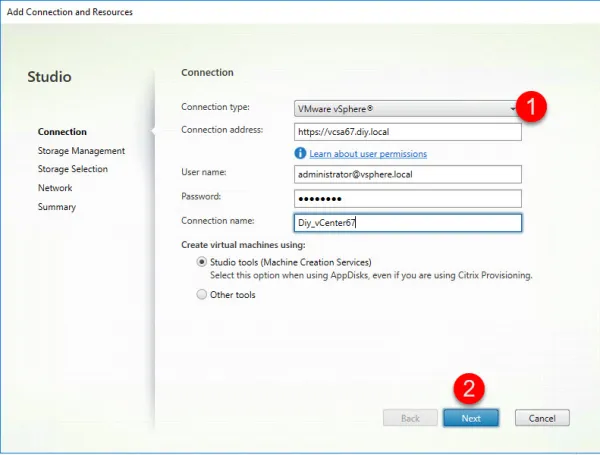
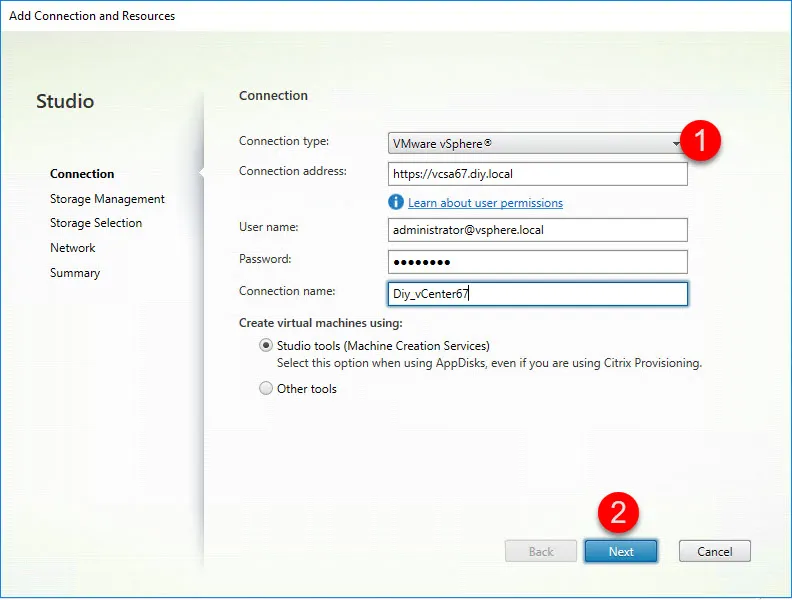
Update: vCenter Server 8 In this post, we’ll create a connection is used by Citrix Virtual Apps and Desktop to create virtual machines and manage them. vCenter server Certificate installation on Delivery Controllers Open browser on the XenDesktop Controller server and open vCenter. Click on Certificate and go to details Step 1: Click Copy to File… […]
Elementor #813
One excellent feature of Citrix NetScaler is SSL Offload. To configure SSL offloading, you must enable SSL processing on the NetScaler appliance and configure an SSL based virtual server that will intercept SSL traffic, decrypt the traffic, and forward it to a service that is bound to the virtual server. Step 1: Enable SSLSystem -> […]
VMworld 2024: Your Ultimate Guide to VMware Explore Europe
Overview VMworld 2024, now known as VMware Explore, will be held in Barcelona from November 4-7. This premier event is where IT professionals and tech enthusiasts gather to delve into the latest advancements in virtualization and cloud computing. Key Highlights Cutting-Edge Sessions and Labs: Hands-on labs and technical sessions tailored to various expertise levels. Keynote […]
Introducing the New VMware Cloud Certification and a Special Offer!
VMware Certification is excited to announce its newest certification: the VMware Certified Professional – VMware Cloud (VCP – VMC) 2022! The VCP – VMC 202. Passing this exam demonstrates you can successfully identify the key components of a VMware Cloud solution and how to support migrations from an on-premises data center into VMware Cloud (across […]
What’s New in vSphere 8?
VMware vSphere 8 is the enterprise workload platform that brings the benefits of cloud to on-premises workloads. In addition, VMware vSphere 8 provides the following new features, as enabled by the new vCenter Server 8 release: vSphere Distributed Services Engine vSphere with Tanzu improvements Lifecycle management improvements AI/ML enhancements New guest OS support and hardware version […]