In my LAB CE Cluster, we’ll review the simples steps on how to update Nutanix CE to the latest version. Let’s upgrade our AHV Version from 2018.05.01 to 2019.02.11.
In this article, we’ll see the steps to upgrade the Acropolis OS (AOS). For all the information:
https://next.nutanix.com/discussion-forum-14/download-nutanix-ce-docs-and-guides-3188
Step 1: Log on to the Prism web console
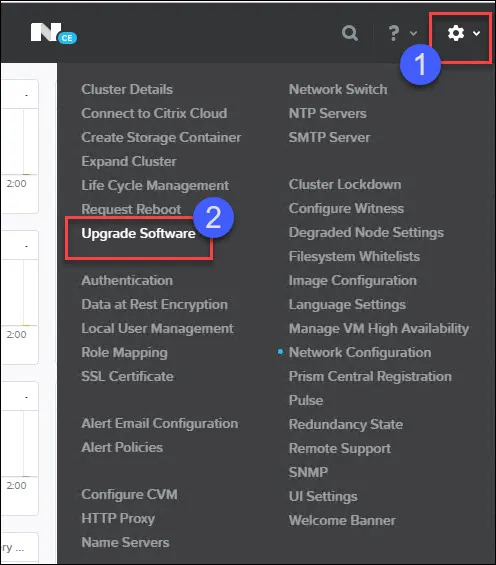
Step 2: Click on “Gear” –> Upgrade Software
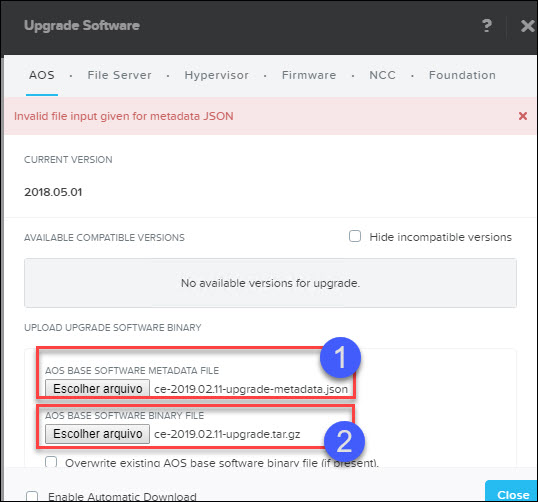
Step 3: Uploading the AOS base software manually. Click the upload an AOS binary.
Step 4: Click Choose File to browse your computer for the AOS metadata and binary files, and click Upload Now.
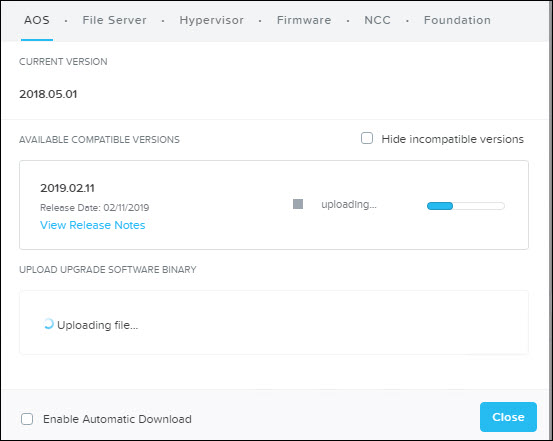
The wizard will start uploading.
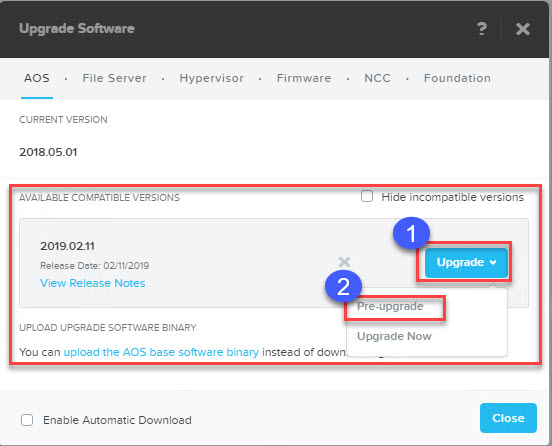
Step 5: When the upload process is completed, click
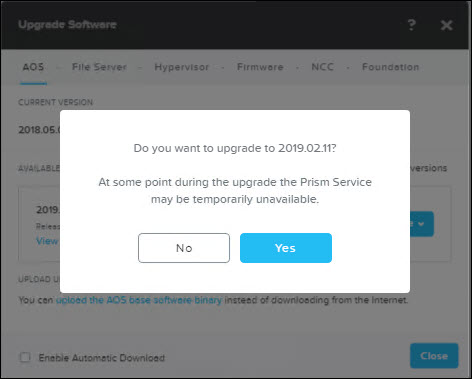
Step 6: Click Yes to confirm.
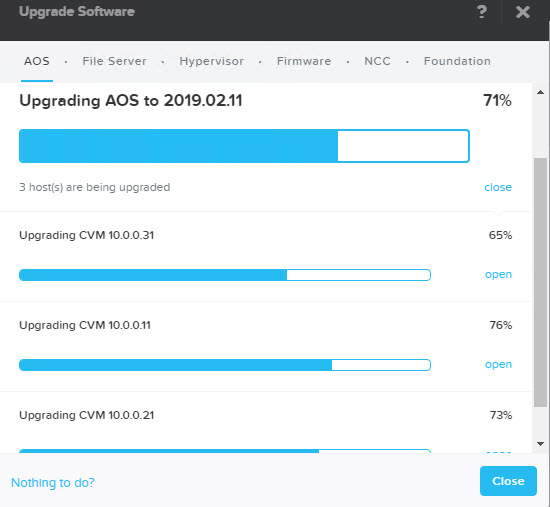
Step 7: The upgrade process will start.
After host reboot and you will get prompted to log.